This article is a practical project-planning checklist, not a specification for a particular product. Confirm functions, interfaces, and operating conditions with the relevant supplier and project stakeholders.
A hotel smart lock project is more than a lock selection exercise. The result depends on how well the team connects door conditions, guest and staff workflows, system boundaries, installation controls, and day-to-day operations.
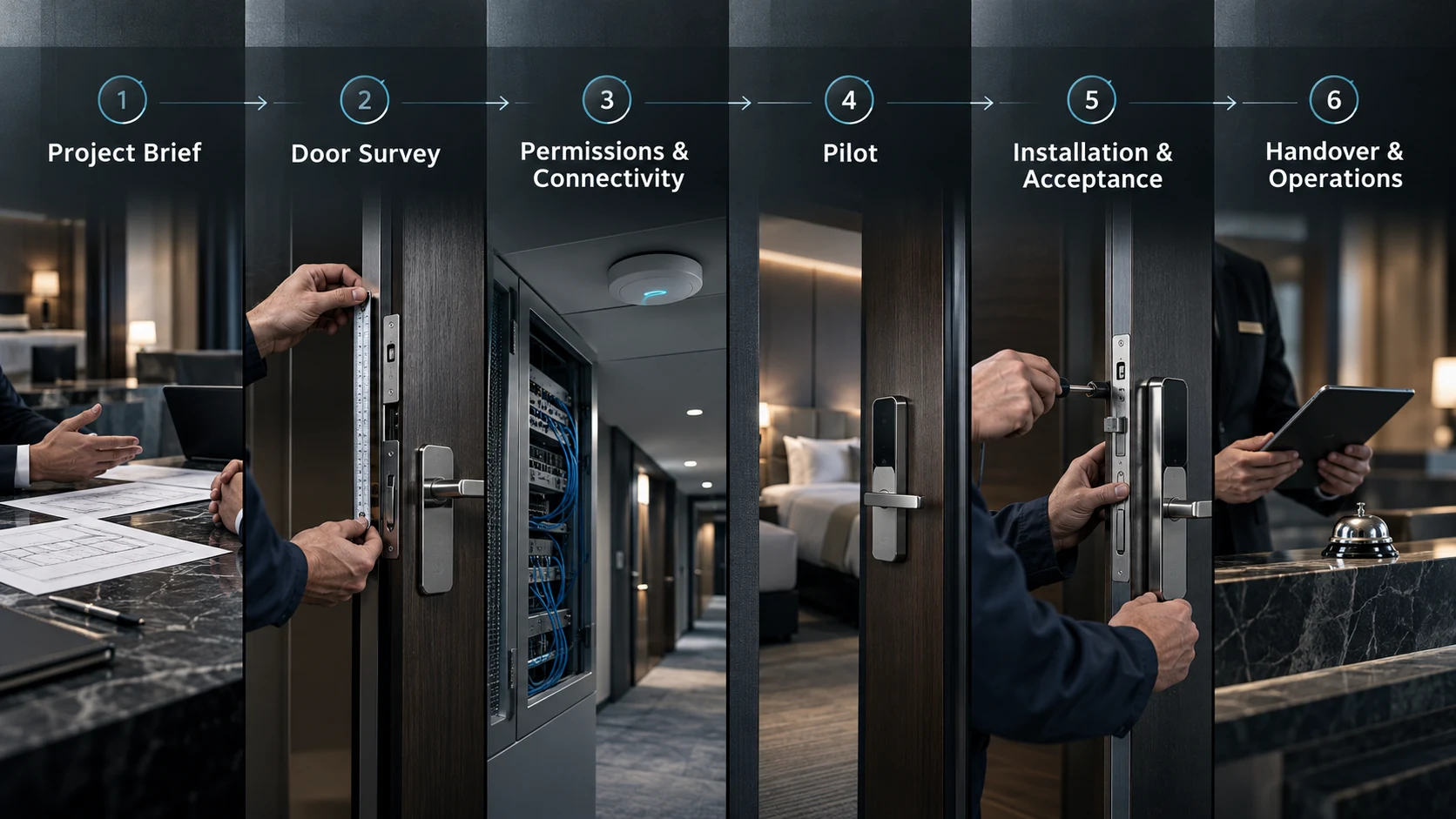
1. Start with a project brief
Use this checklist to structure planning and delivery for a hotel or similar commercial access control project. Before requesting a proposal or scheduling the door survey, collect the facts that will shape the work.
- Property type, location, and operating model; room and controlled-opening count.
- Phases, target dates for the door survey, sample-room pilot, installation, commissioning, and opening.
- Owners for operations, IT, security, procurement, installation, and acceptance.
- Current access methods, required integrations, work-hour limits, network availability, and local maintenance coverage.
Turn assumptions into open questions with an owner and due date. Record who approves access rules, provides door information, and decides whether an exception is acceptable.
2. Survey doors and verify compatibility
A property may contain several door and frame types, even when rooms appear similar. Survey representative examples and record variations instead of assuming one room describes the whole building.
- Door material, thickness, construction, and finish; frame, strike, clearances, seals, and visible damage.
- Existing lock body, latch or bolt, handle, cylinder, retained hardware, door handing, and closing behavior.
- Mounting space, obstructions, power arrangements, and service or battery access where applicable.
- Connectivity conditions where the proposed design depends on a network connection; locally identified fire, life-safety, accessibility, and property-specific requirements.
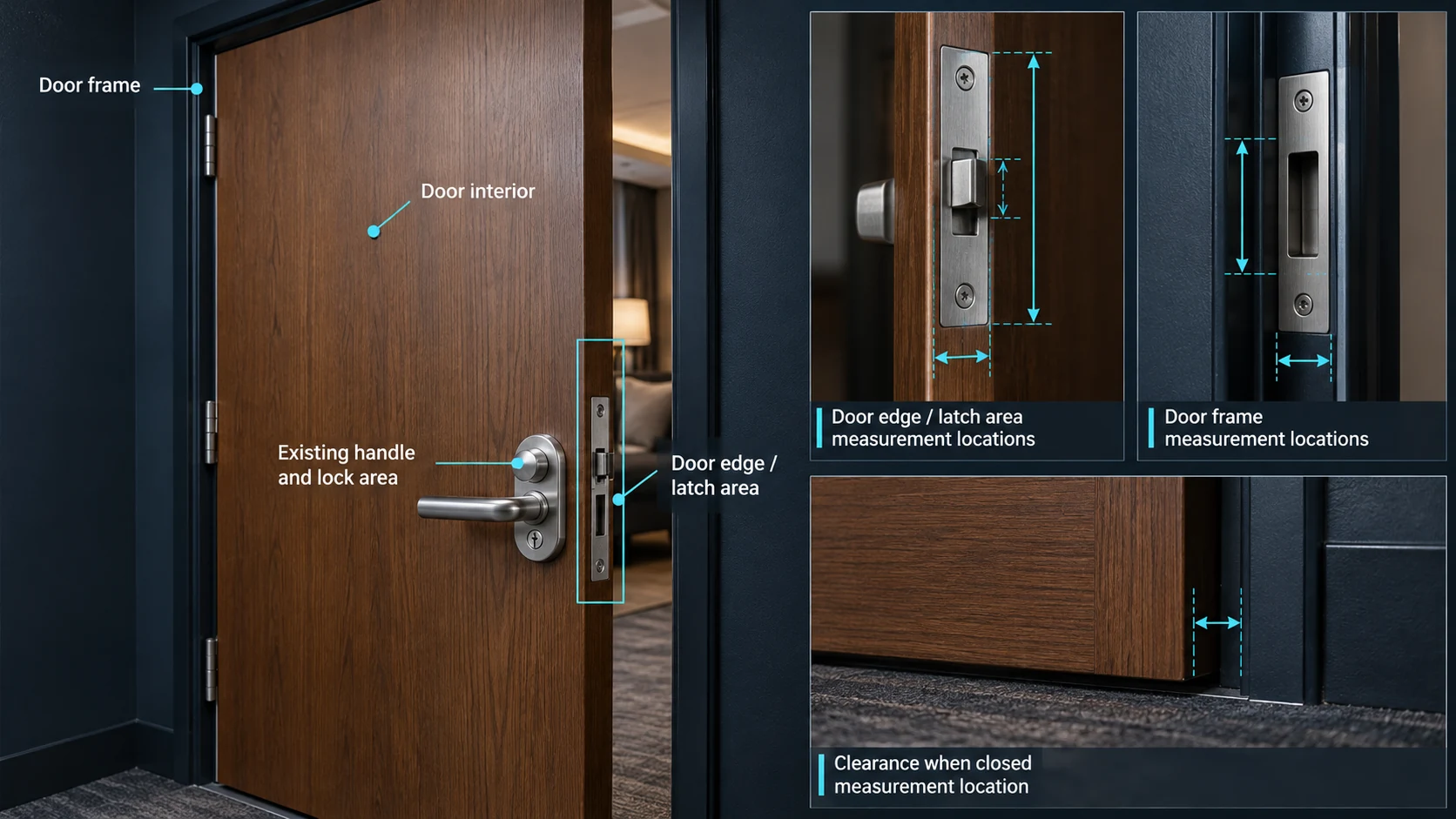
Photograph the door edge, frame, existing hardware, and surroundings; add a scale reference when useful. Record dimensions consistently and link each record to a room or door group. Compare the door survey results with the proposed configuration and installation method. Flag every unverified dimension, unusual construction, and required modification. Ask the supplier and installer to confirm fit; a similar-looking room or product image is not proof of compatibility.
3. Map permissions and connectivity
Document who needs access, to which areas, and under what conditions. Include guests, housekeeping, maintenance, managers, contractors, and any emergency or security roles relevant to the property’s operating plan.
- Who creates and approves credentials; when access begins, expires, or is extended.
- Which doors or zones each role may use, and how lost, shared, expired, or compromised credentials are handled.
- Who may change permissions; what logs are available, who reviews them, and how long they are retained under property policy.
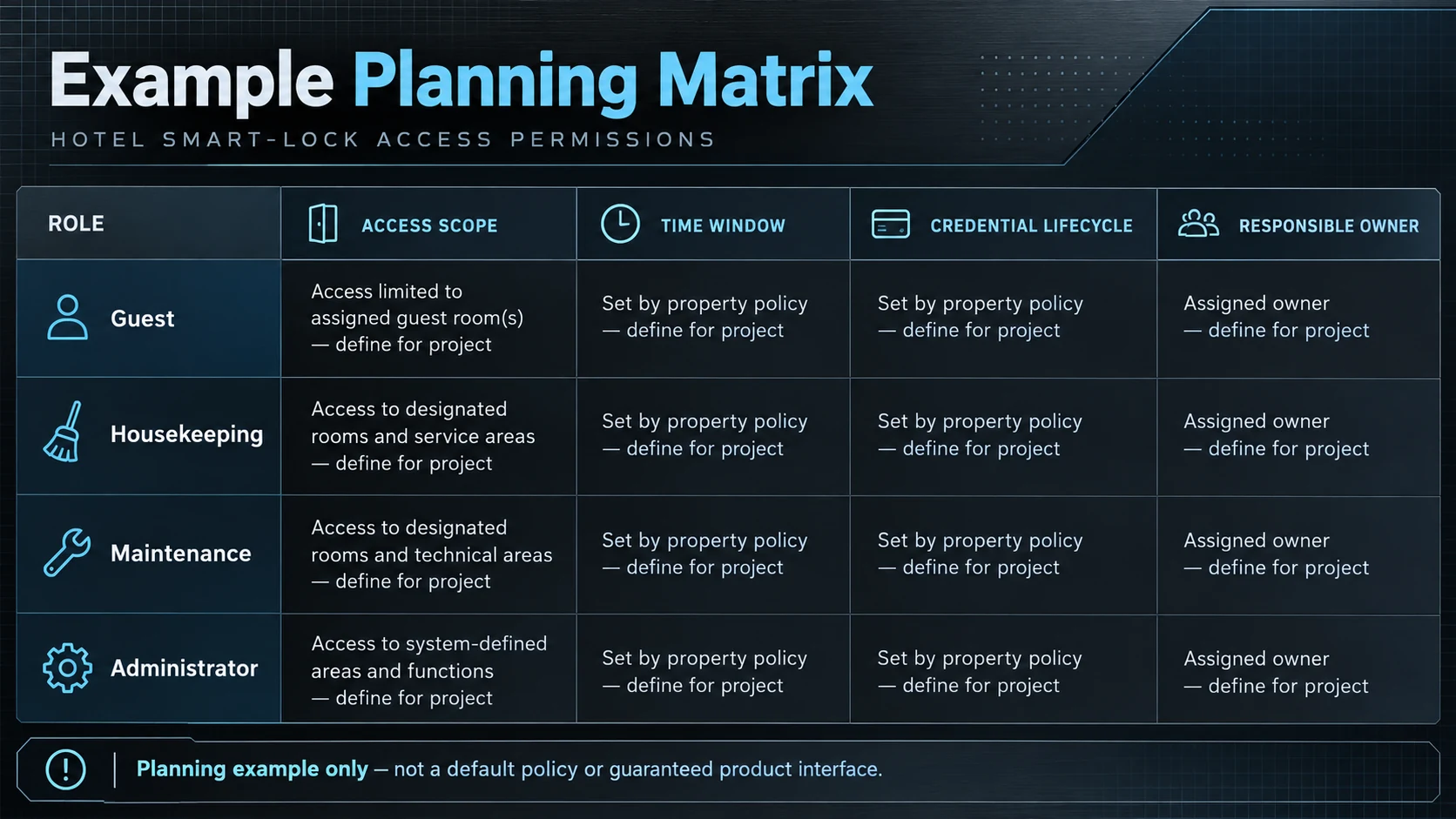
Map connected components, proposed network or gateway equipment, configuration owners, and support responsibilities. For a PMS, mobile credentials, control platform, or other interface, document the workflow and have both sides confirm scope. Ask what happens during network interruption, power issue, maintenance, or integration outage. Confirm which functions continue and which require local action. Do not assume that “connected” means every workflow remains available when a connection is lost.
4. Run a sample-room pilot
Before scaling installation, select a small pilot representing the main door types and at least one difficult or unusual case. Agree on participants, test steps, acceptance criteria, and issue owners before work starts.
- Guest credential creation, delivery, first use, expiry, and revocation; staff access under approved schedules and roles.
- Door closing and locking under normal conditions; planned integration workflow and support escalation.
- Supplier-documented behavior during network or power interruption; an agreed lost-credential or denied-access exception.
- Routine service tasks, such as status checks or battery replacement if applicable.
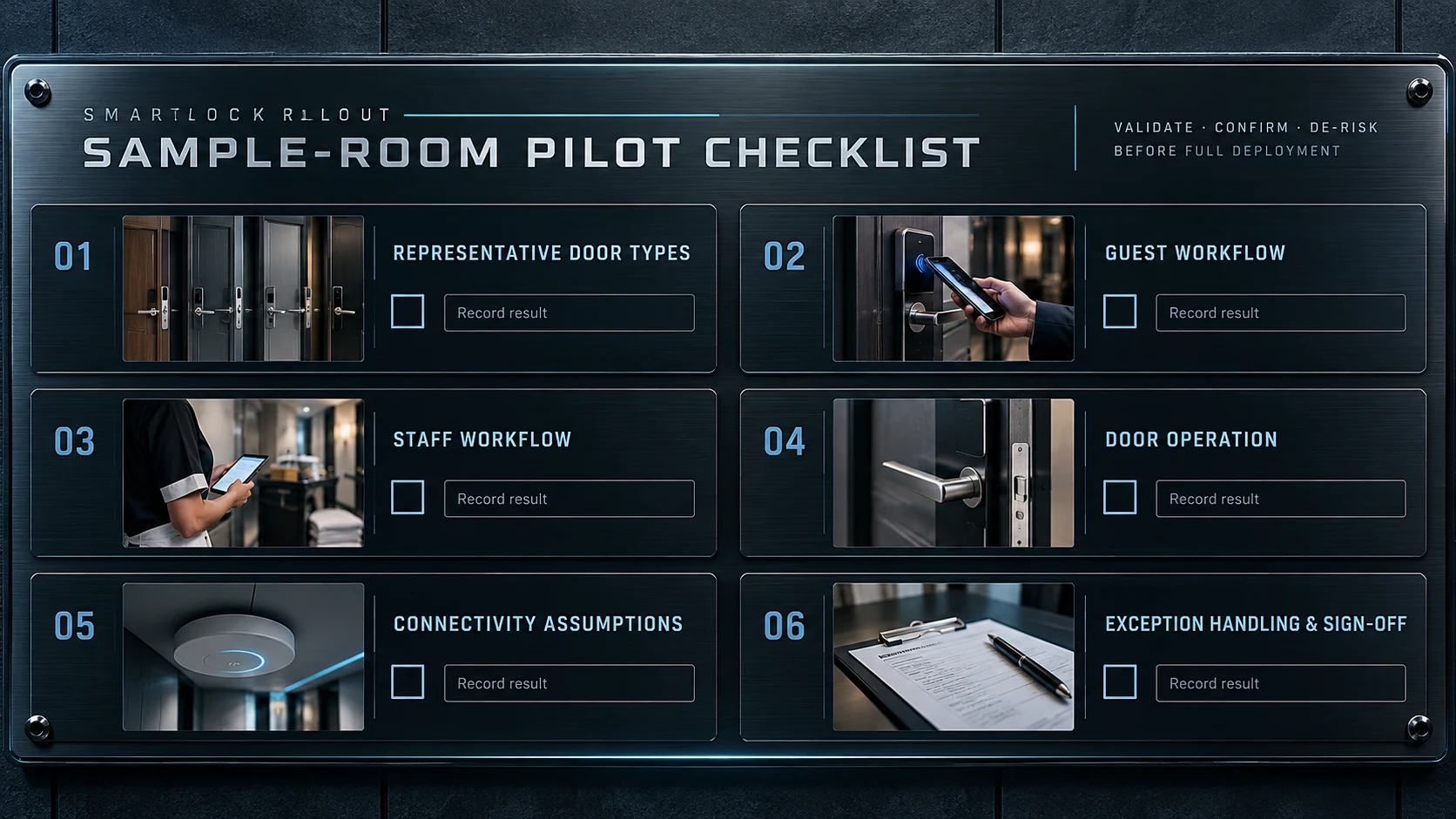
Record door configuration, system settings, results, and defects for each pilot opening. Resolve issues, update instructions, and obtain approval from the people who will operate and support the system. A successful sample validates the tested conditions; it does not prove every door is identical.
5. Install, commission, and accept
Use the approved survey, configuration, and pilot results as the installation baseline. Before work starts, confirm room access, work windows, site protection, installer responsibilities, and how unexpected conditions will be reported.
- For each opening, record its room or door reference, installed configuration, installer, and completion date.
- Document approved variations, commissioning checks and results, outstanding defects, owners, and target resolution dates.
- Agree acceptance criteria in advance; verify agreed door operation, credential and permission workflows, applicable connectivity functions, and exception handling for each door group.
- Keep failed checks visible with symptoms, conditions, evidence, any temporary control, and an owner. Close issues after retest or a documented project-owner decision.
For a large rollout, use staged acceptance gates so unresolved issues from one group are reviewed before the next group proceeds. For a door-by-door acceptance walkthrough, follow the dedicated installation acceptance checklist together with this section.
6. Handover and train teams
Agree on the handover package and its owner before installation is complete. The property team should know how to administer and support the system before routine operation begins.
- Final door and device register, room references, approved configurations, as-installed records, and documented variations.
- Administration roles, credential procedures, permission-change controls, and instructions for common guest and staff scenarios.
- Supplier and installer contacts, agreed escalation route and support hours, and project-confirmed warranty, spare-parts, and service arrangements.
- Maintenance tasks, inspection intervals, records to keep, and open issues with owners, due dates, and temporary procedures.
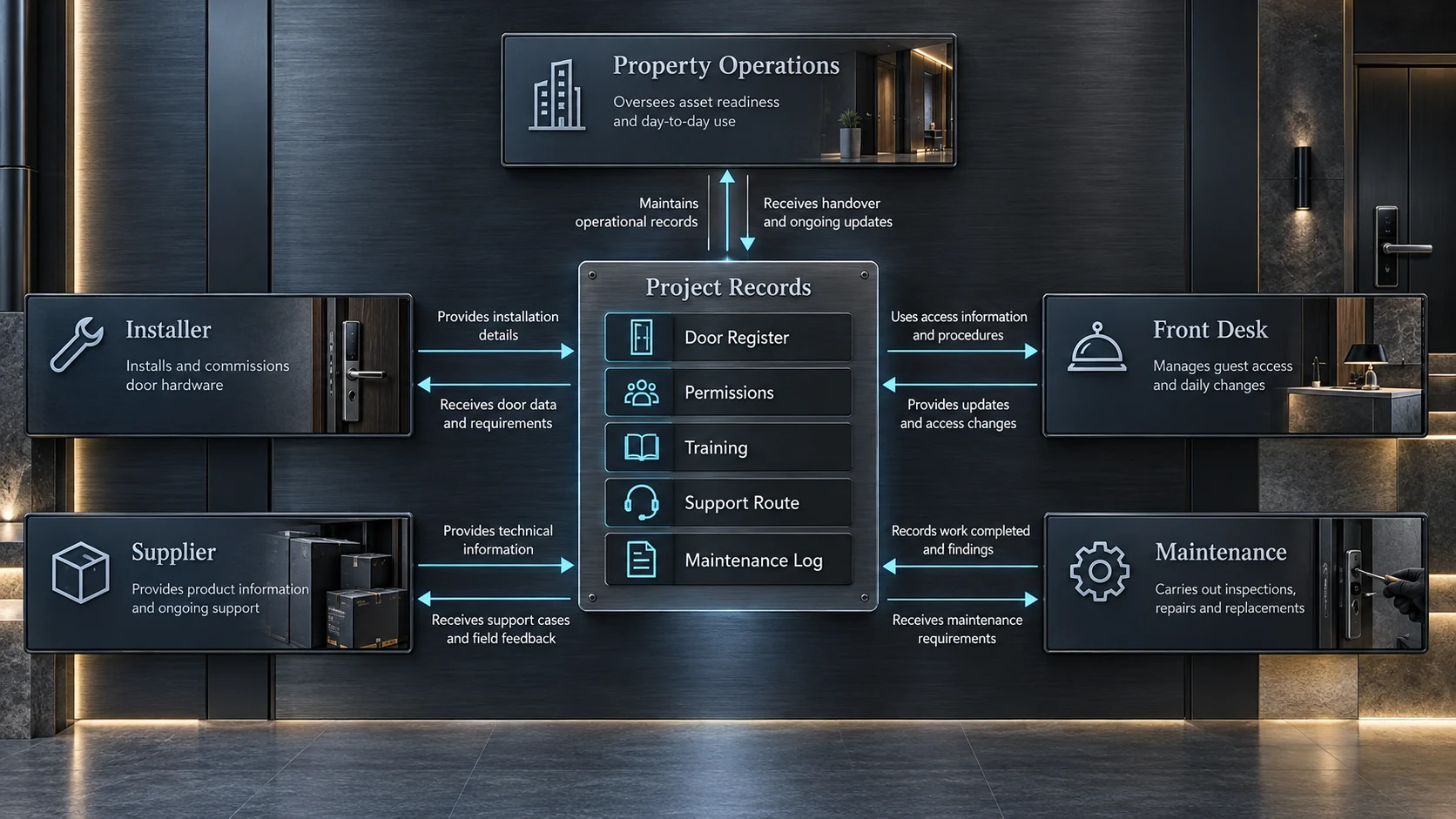
Train by role. Front-desk staff should practice guest workflows and escalation; housekeeping and maintenance teams need relevant procedures; administrators should practice credential changes, access control, and record review. Keep attendance and training sign-off records.
7. Plan operations and maintenance
Assign an owner for routine checks after installation. Match the plan to the selected hardware and software and the property’s operating schedule.
- Review access exceptions, failed operations, and service requests.
- Check battery or power status only where the system provides a reliable method; replace service parts according to documented procedures.
- Update users, credentials, and permissions as staff or operating needs change.
- Review network, gateway, or integration health where applicable; log maintenance, configuration changes, and recurring faults.
Use early feedback to identify repeated problems such as doors needing adjustment, unclear procedures, or access rules that do not match actual work. Route issues to the responsible property, door, lock, network, or integration team. Do not change a system setting to mask a physical door issue without checking its cause.
8. Request a project consultation
Prepare the property type, estimated door count, door photos or drawings, schedule, current access workflow, connectivity assumptions, integration requirements, and open questions. Contact the WAFU project team to request a project consultation. Any proposed configuration, compatibility, integration, and support scope should be reviewed against the actual doors and operating requirements before it is treated as a project commitment.
Request a project consultation
Share your property type, estimated door count, door information, schedule, and integration questions with the project team.
View the hotel access scenario for property context.